Well Schools Guidance
Getting Started
Your Action Plan
The Well School Accreditation
Groups of schools
Getting Started
You can access the Well Schools area of the Youth Sport Trust website by ensuring you have a free Youth Sport Trust account. You can register or log in by using the prompts in the top right-hand corner of any page on our website.
If you are registering as an individual based at a school in the UK with pupils aged between 4-18, you will be given immediate access to the Well Schools dashboard, which can be accessed via the Well Schools information page.
You can reach this page by using the main navigation menu or by following the link on our homepage. Here, you can also find out more about Well Schools and access our bank of Well Schools resources.
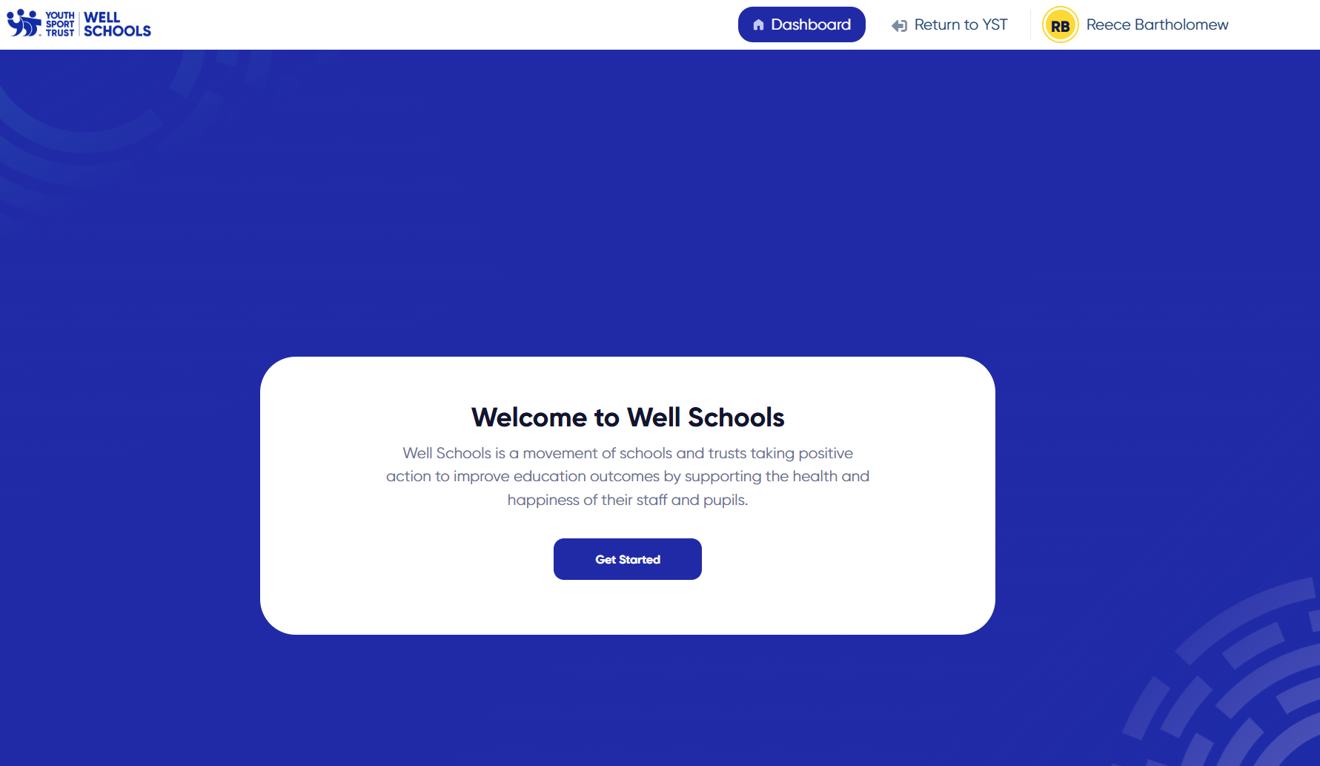
If you are accessing your dashboard for the first time you will see a welcome screen before progressing to your dashboard.
The Well Check
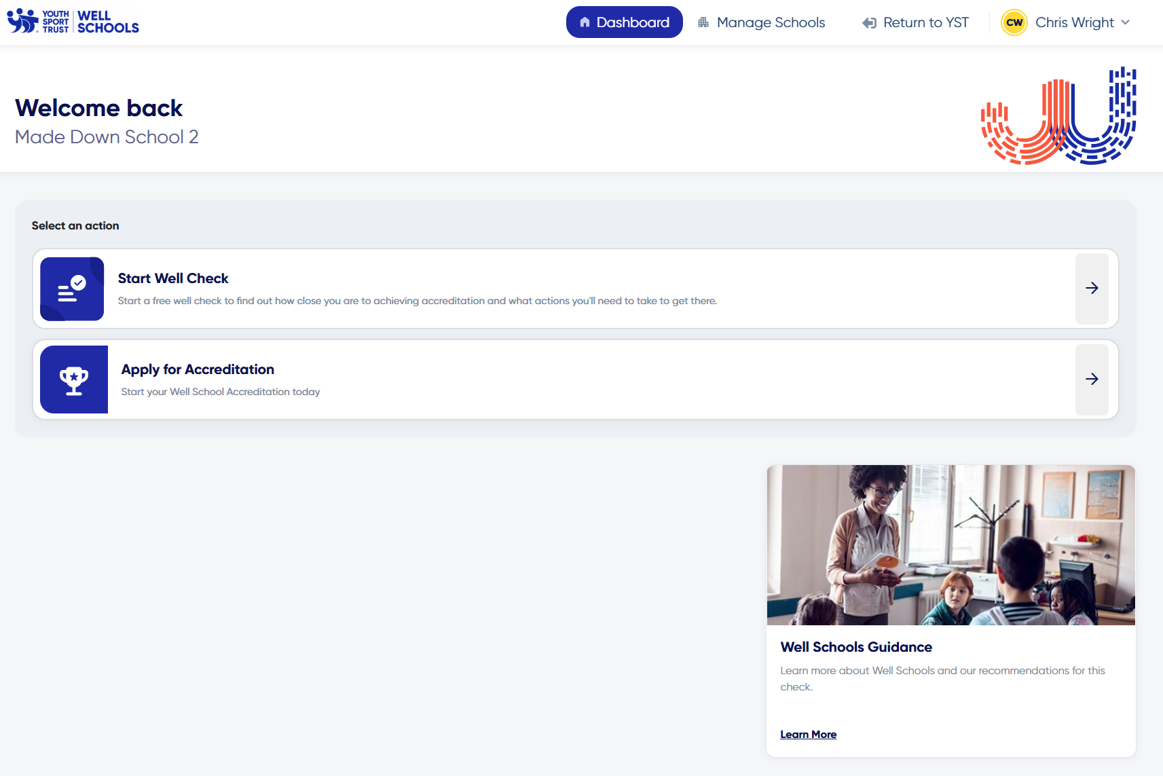
You can access the Well Check from your Well Schools dashboard. You will either see a prompt to start, if you have not done so already, or a link to continue your Well Check, alongside an overview of your progress so far. If you have previously submitted your Well Check you will see a link to your Action Plan.
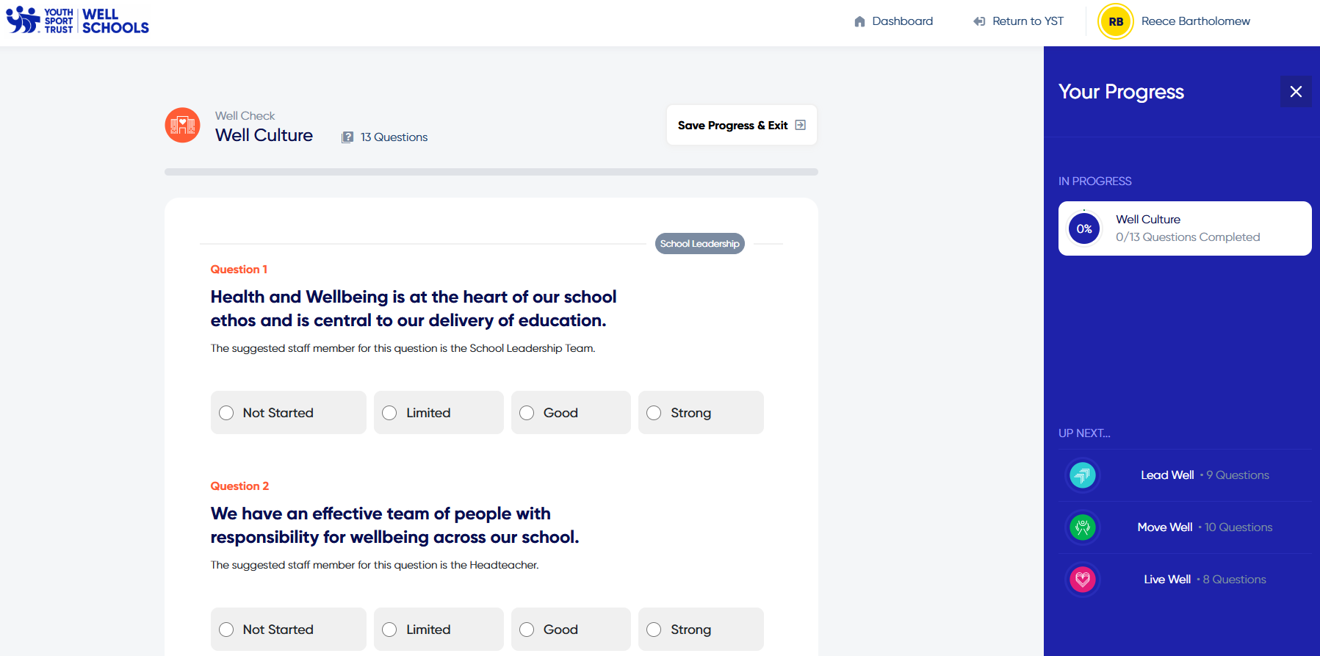
The Well Check covers the four pillars of a Well School - Well Culture, Lead Well, Move Well, Live Well. You can answer the questions in any order and can move between these pillars using the progress sidebar, which can be expanded or minimised as required. You must complete all of the questions to finish a pillar and will not be able to submit your Well Check until all pillars are complete.
Questions have a four-point scale:
- Not started - no implementation
- Limited - some progress but inconsistent
- Good - well-established with minor gaps
- Strong - best practice implementation
There are also five data collection questions which are not marked and require numerical input.
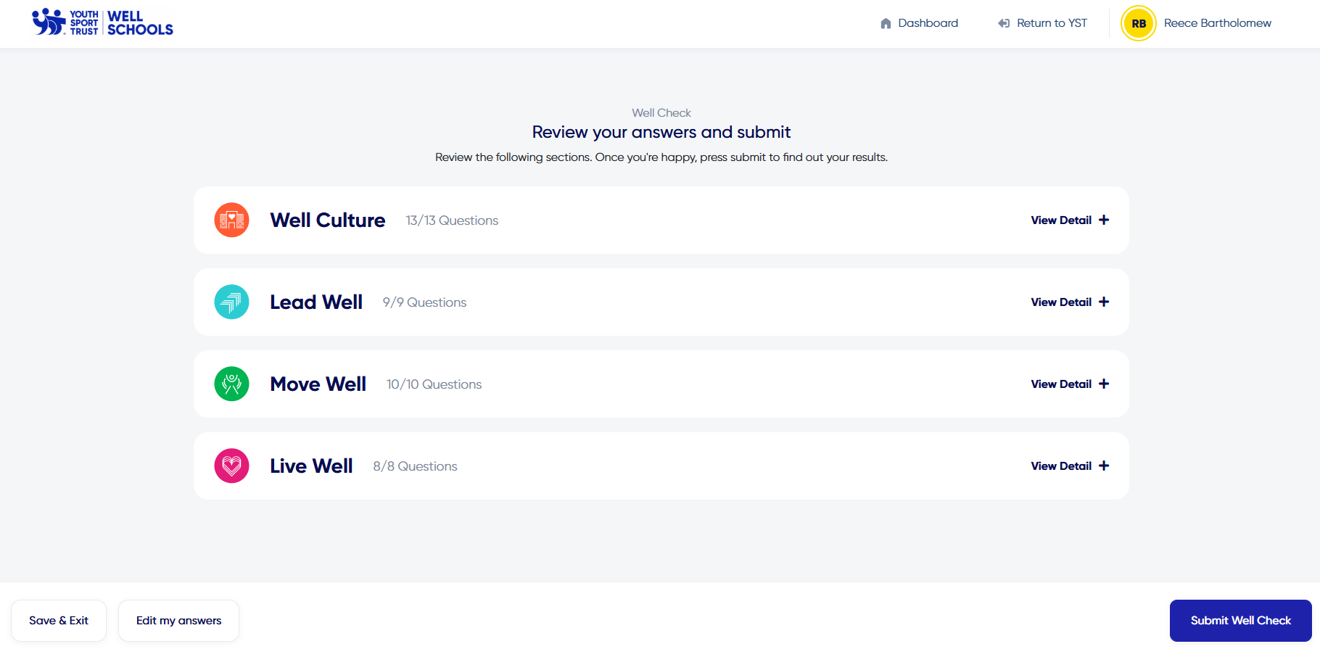
You can save your progress and return to your Well Check at any time - there is no need to complete it in one session. When you have completed all four pillars you will be taken to a review screen. From here, you can submit your Well Check.
Remember, the Well Check is owned by a school, not an individual - so users from the same school can collaborate on answers. If someone else who works at your school has already started the Well Check, you will see the same thing that they do.
It is possible to edit the answers previously submitted, regardless of who entered them, and doing so will automatically update your Action Plan.
Your Action Plan
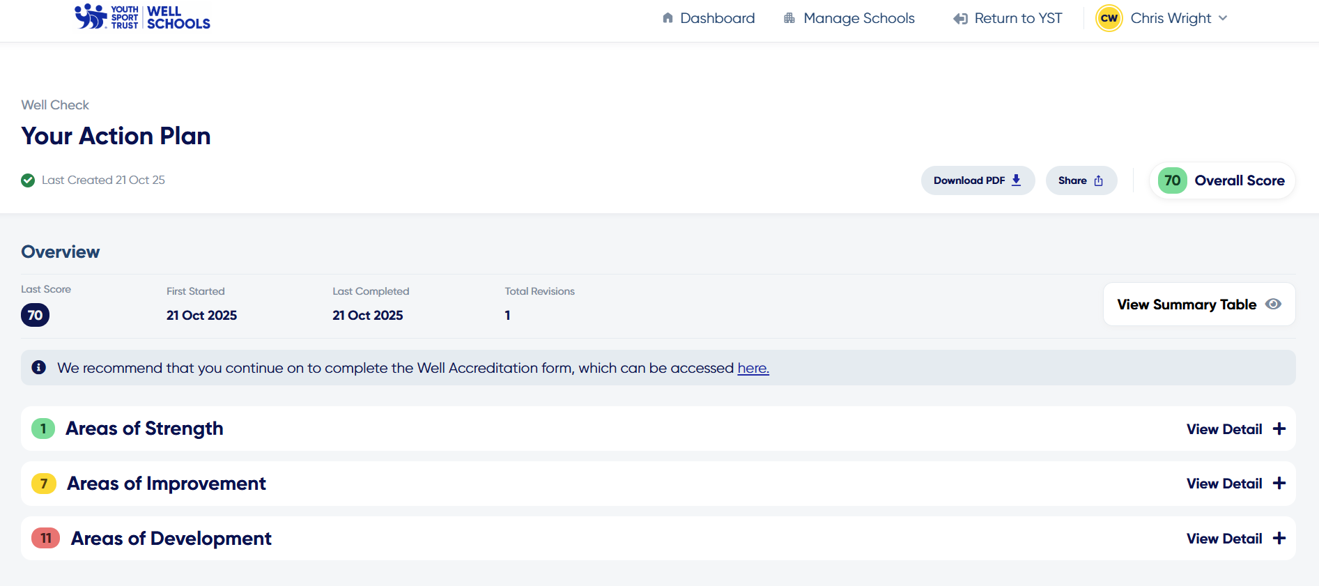
Upon completing your Well Check you will be taken to your Action Plan screen.
There are several key areas on this page for you to be aware of:
- Your score - based on your answers you will receive a score out of 105. We recommend that any score of 60 or more is suitable to move on to the Well Schools Accreditation. If your score is lower than 60, we suggest that you use the recommendations in your Action Plan before progressing to the accreditation.
- Our recommendations - your answers are divided into three sections. You can use the interactive plan to view our recommendations to support your areas of improvement and development, filtering by each pillar - Well Culture, Lead Well, Move Well, Live Well - if you wish.
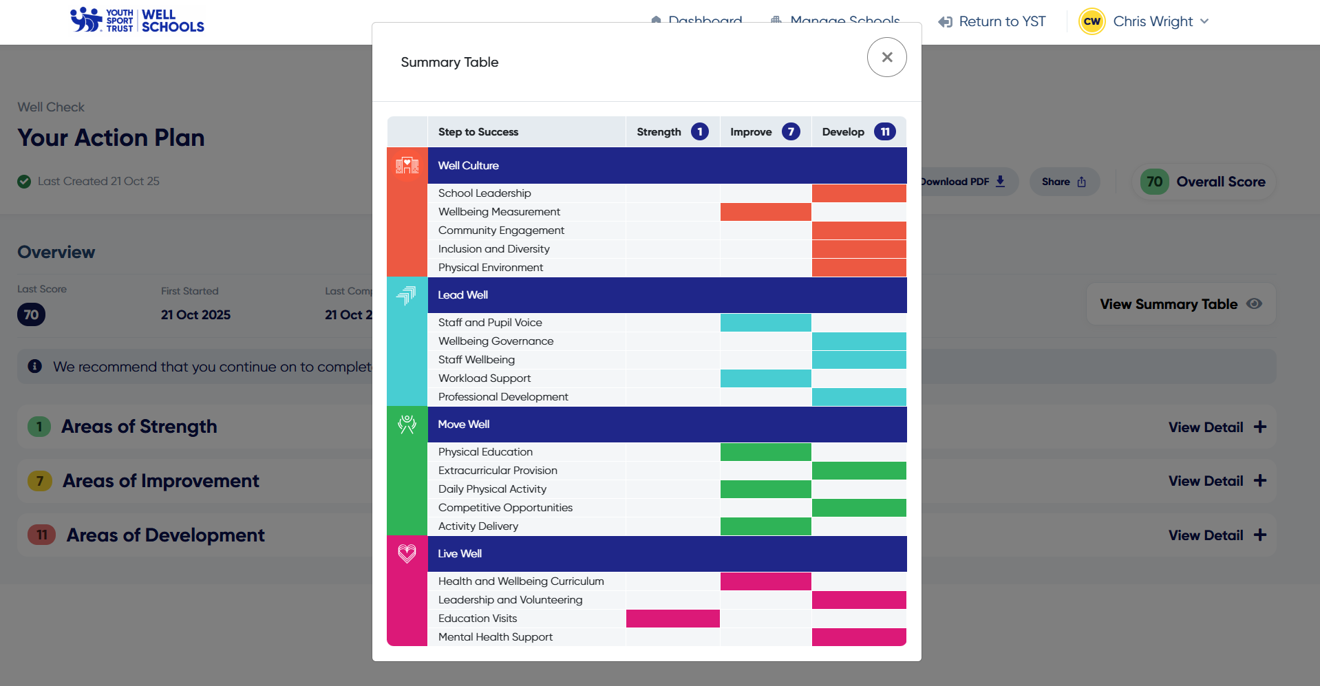
- Summary table - you can view an overview of your areas of strength, improvement, and development in a helpful colour-coded summary table.
- Download and share - we recommend sharing your Action Plan via web link so that other users can interact with the plan, for example watching videos. However, there are also shortcut options for downloading your Action Plan in PDF format, perfect for printing and sharing with your staff.
You can return to your dashboard or the main Youth Sport Trust website at any time using the menu at the top of the screen.
Getting the most out of your action plan
- Small things, consistently done - is a key wellbeing principle. When we make small, positive changes and apply them consistently, the wellbeing gains compound over time. Don't be overwhelmed with the scale of the journey ahead of you. Start small and build from there.
- Quick wins - we have highlighted in your action plans actions that we believe are low effort and allow you to make progress quickly. These may be tangible actions you can take in school, videos to watch or documents to read. Quick wins are to get you started and help you build momentum.
- What do you have the appetite for? Of the longer-term actions that require more effort, what excites or motivates you the most to get started with? Starting from a place of natural motivation means you'll make good progress and will work around barriers more easily.
- Who can help you? Wellbeing is a team sport. Think about who within your school/Trust can help you implement certain actions but also consider which external partners could assist too (e.g. YST, neighbouring Well Schools, MH & wellbeing training providers).
- What barriers might you face? Being aware of the obstacles you might face in implementing your plan for becoming a Well School will help you think about how to navigate around them skilfully.
- What does success look like to you? Have a vision and clear criteria that enable you to see the progress you are making towards becoming a Well School (e.g. *4 Well School Accreditation, improvements in attendance data, parent survey feedback, staff wellbeing survey results).
- Celebrate successes - the journey to becoming a Well School can be long and it is a constant work-in-progress, so be sure to celebrate every quick win, or achievement along the way. Celebrating successes with your team fosters motivation and encourages you to keep making progress.
Well Schools Accreditation
You can access the Well Schools Accreditation from your Well Schools dashboard.
The first step in obtaining your accreditation is to purchase it. This must be done upfront to cover the cost of the peer review. The Well Schools Accreditation costs £495.00 (ex-VAT) and must be paid for by either PayPal or via invoice. If you choose to pay via invoice, you will not be able to submit your accreditation until the invoice has been paid.
Once a payment (or a commitment to pay via invoice) has been made, you will unlock the accreditation form. Once started, you will be able to save your progress and continue it at any time, exactly the same as the Well Check.
The accreditation builds on the information submitted through the Well Check and introduces new questions across the four pillars. There are 40 additional scored questions and space for you to upload supporting evidence.
The evidence submissions are critical for verifying the answers you have given, and will be the focus of the peer reviewer who assesses the accreditation. Each submission must contain a minimum of two pieces of evidence per pillar (eight in total). Further guidance on the types of evidence which we are looking for is provided within the form.
If you have submitted your Well Check prior to starting the accreditation – something we would strongly recommend – your answers will automatically be carried forward. Please note, if you update your Well Check answers after starting the accreditation, your answers will not be automatically updated across both forms.
You can save your progress and return to your accreditation at any time - there is no need to complete it in one session. When you have completed all four pillars you will be taken to a review screen. From here, you can submit your accreditation. You will also be asked to send confirmation of your submission to your headteacher.
Unlike with Well Check, it is not possible to edit the answers one they have been submitted, so please take the time to ensure they are accurate before finalising your submission.
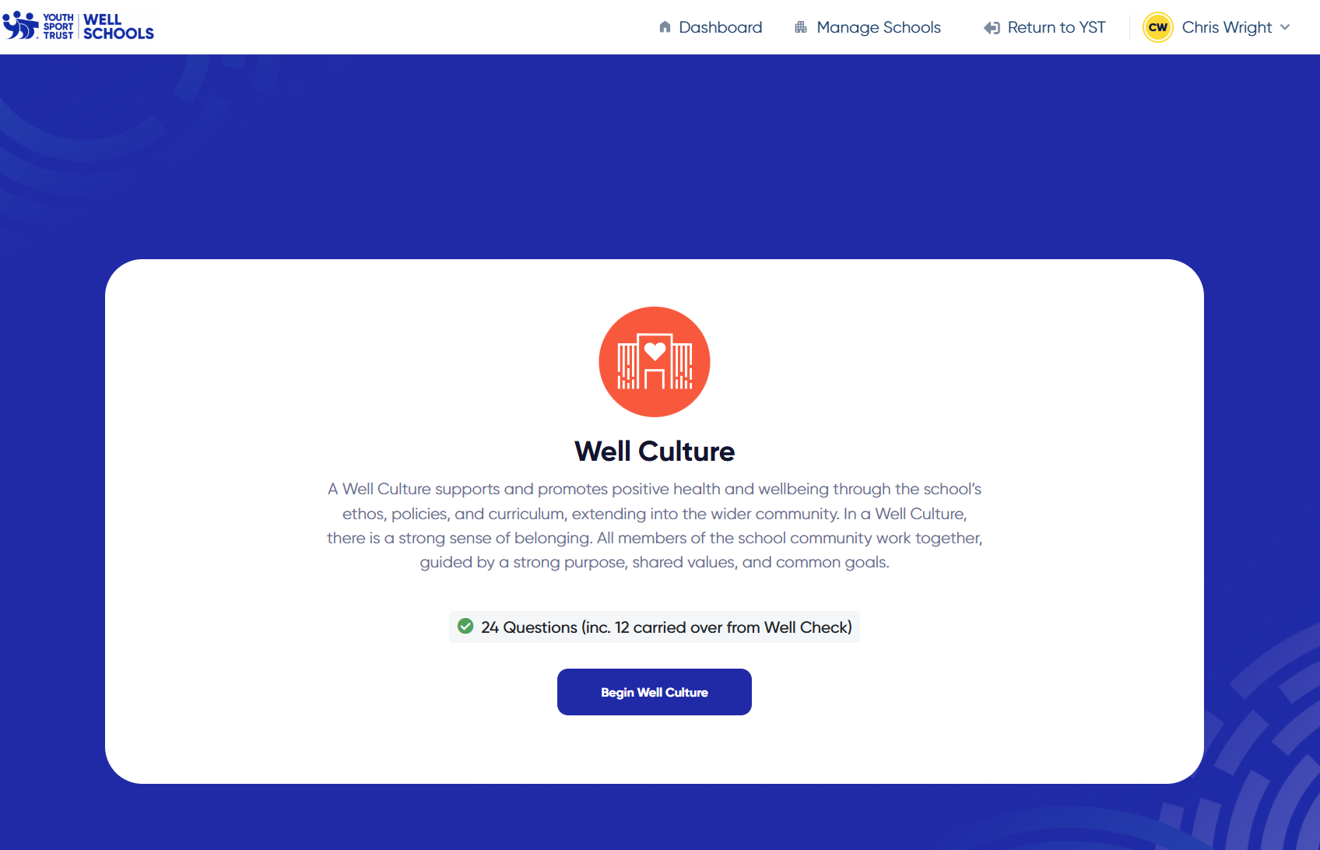
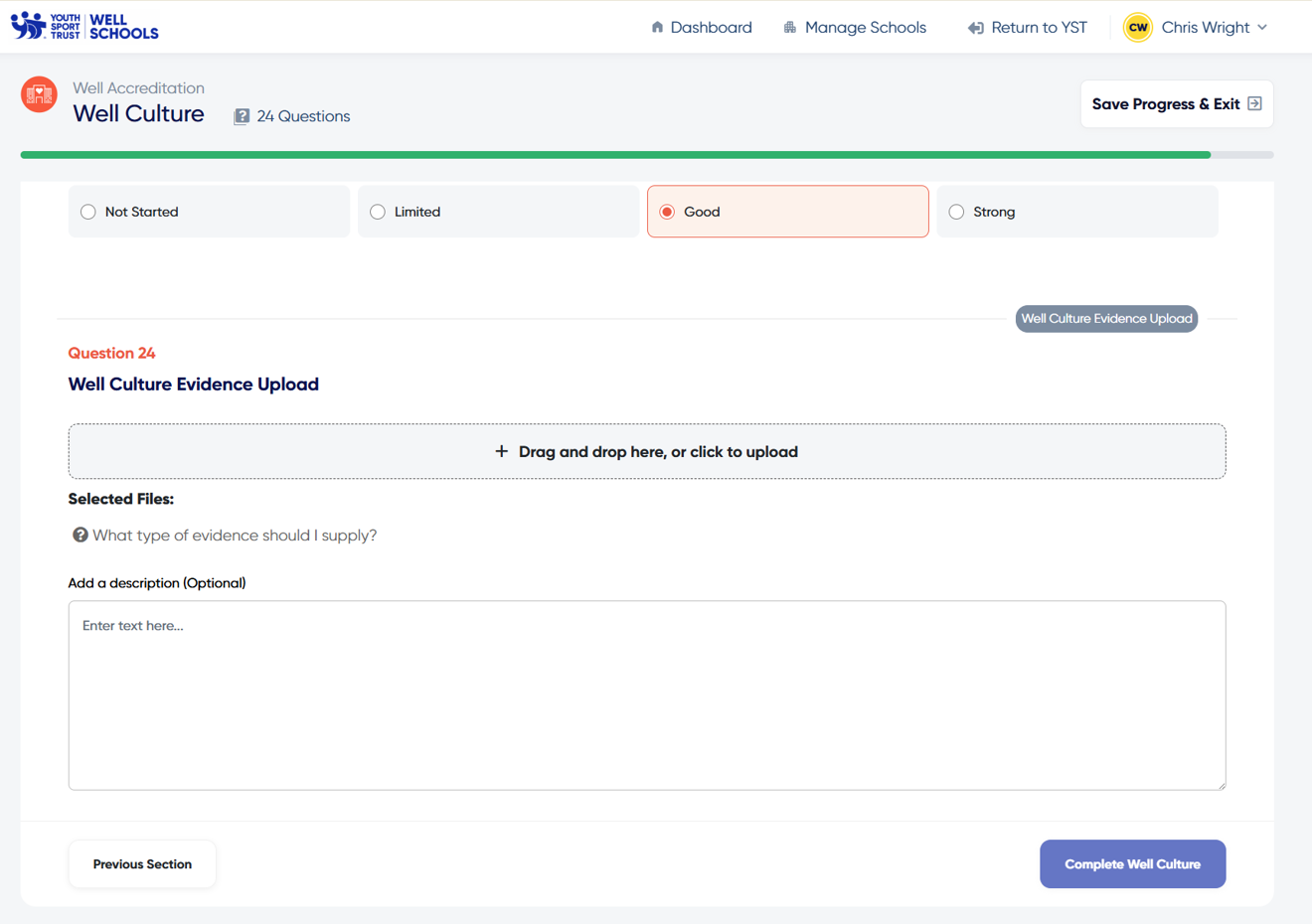
What evidence will I need to provide?
Well Culture
In this section you must upload your:
- School Development or Improvement Plan showing health and wellbeing as a strategic priority with review notes/actions
You must also upload one of the following:
- Governors’ minutes evidencing wellbeing-related decisions
- Whole-school Wellbeing Charter or annual Wellbeing Action Plan
- Evidence of formal community partnerships focused on wellbeing
- Whole-school wellbeing survey with follow-up actions documented
- Evidence of promoting the benefits of active lifestyles and wellbeing to parents/carers
Or, utilise existing sources of evidence such as:
- National Children’s Bureau Schools Wellbeing Award
- BeeWell report
- SHEU report
- Eco Schools
Lead Well
In this section you must upload your:
- CPD and staff development records providing evidence of importance of PE, school sport and physical activity, wellbeing and mental health
You must also upload one of the following:
- Designated wellbeing roles (staff/governor) with responsibilities and termly reports
- CPD records for staff on wellbeing, leadership, or mental health
- Mental Health First Aider/practitioner with activity logs
- Staff wellbeing charter endorsed and reviewed annually
- Evidence of staff/pupil voice influencing decision-making (survey results and documented changes made)
Or, utilise existing sources of evidence such as:
- National Governors Association training
- DfE Workload Reduction Toolkit evidence
- Education Support training evidence
Move Well
In this section you must upload your:
- Curriculum map demonstrating commitment to PE, sport, physical activity, and wellbeing across all key stages
You must also upload one of the following:
- PE participation tracking with demographic data
- Competition calendar with participation evidence
- Parent/carer engagement on physical activity
- PE Sport premium report highlighting measurable impact
- Evidence of promoting wider physical activity – e.g. training activity deliverers, playground leaders etc.
Or, utilise existing sources of evidence such as:
- School Games Mark
- Creating Active Schools
- YST PESSPA Check and action plan
- Living Streets
- AfPE Quality Mark
Live Well
In this section you must upload your:
- Enrichment and curricular breadth mapping, including cultural capital and personal development
You must also upload one of the following:
- Pupil and family testimonies evidencing impact
- Targeted intervention data for disadvantaged groups
- Evidence of skills focus on enrichment (digital, leadership, life skills)
- Educational visit logs linked to wellbeing outcomes.
- Evidence of mental health training, emotional literacy, peer mentoring etc.
- Student leadership programmes; Personal development programmes; Volunteering evidence; Duke of Edinburgh
Or, utilise existing sources of evidence such as:
- THRIVE
- Nurture Schools
- Carnegie Schools Mental Health Award
- Skills Builder Tracker
- Healthy Schools Award
Peer Review
The accreditation uses the same four-point scoring system as the Well Check. With 75 scored questions across both forms your final score is out of maximum of 225.
Upon submission of your accreditation, you will be given a waiting time estimate for peer review – this is the anticipated time it will take for your accreditation to be reviewed.
Upon review you will be awarded either a 3, 4 or 5 star Well School status. and your peer reviewer will provide you with tailored feedback on your application.
Upon confirmation of your award, you will be given access to a digital collateral pack via your dashboard. If for any reason your submission is unsuccessful, you will be given feedback, plus an opportunity to amend your answers once and resubmit, before your score is finalised.
Once awarded, the accreditation is valid for a period of two years. After two years, you will be asked to refresh and resubmit your accreditation application and evidence in order to retain your Well School status.
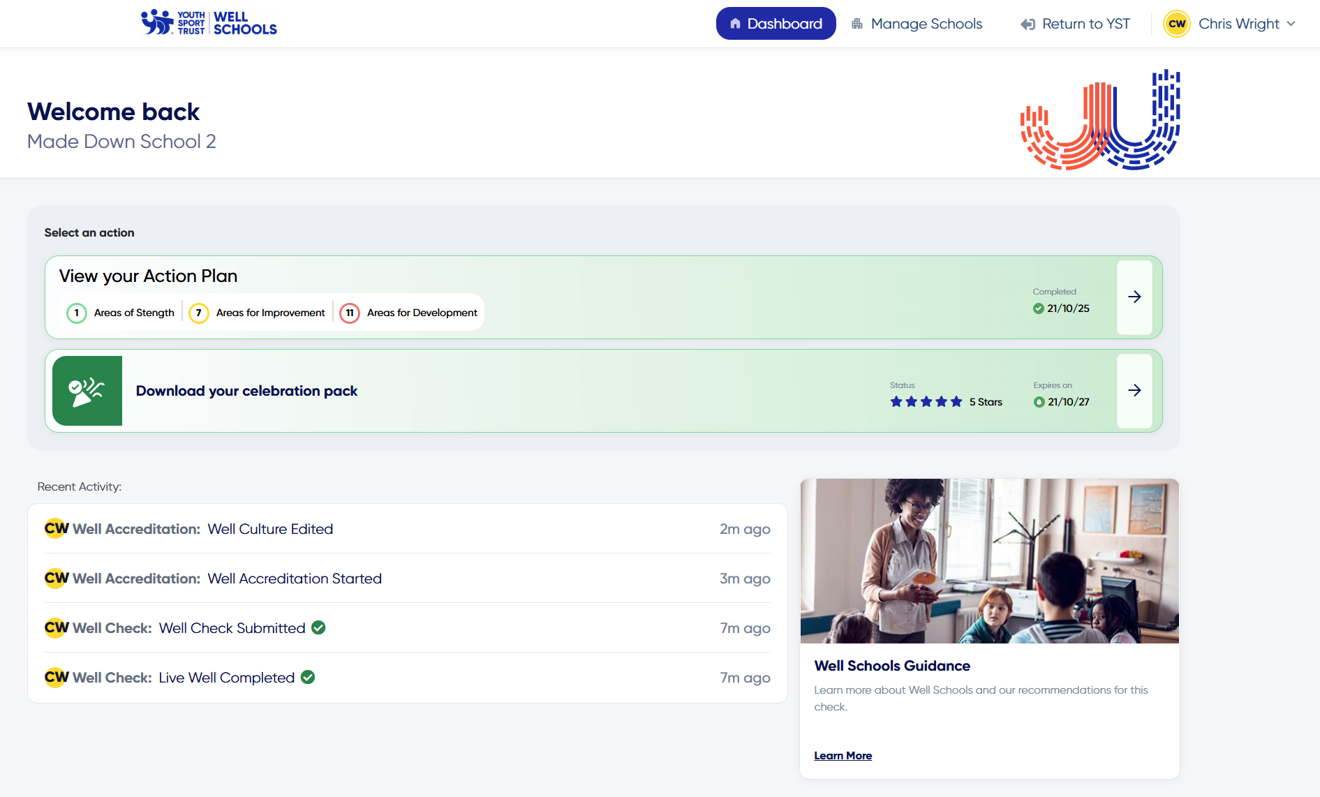
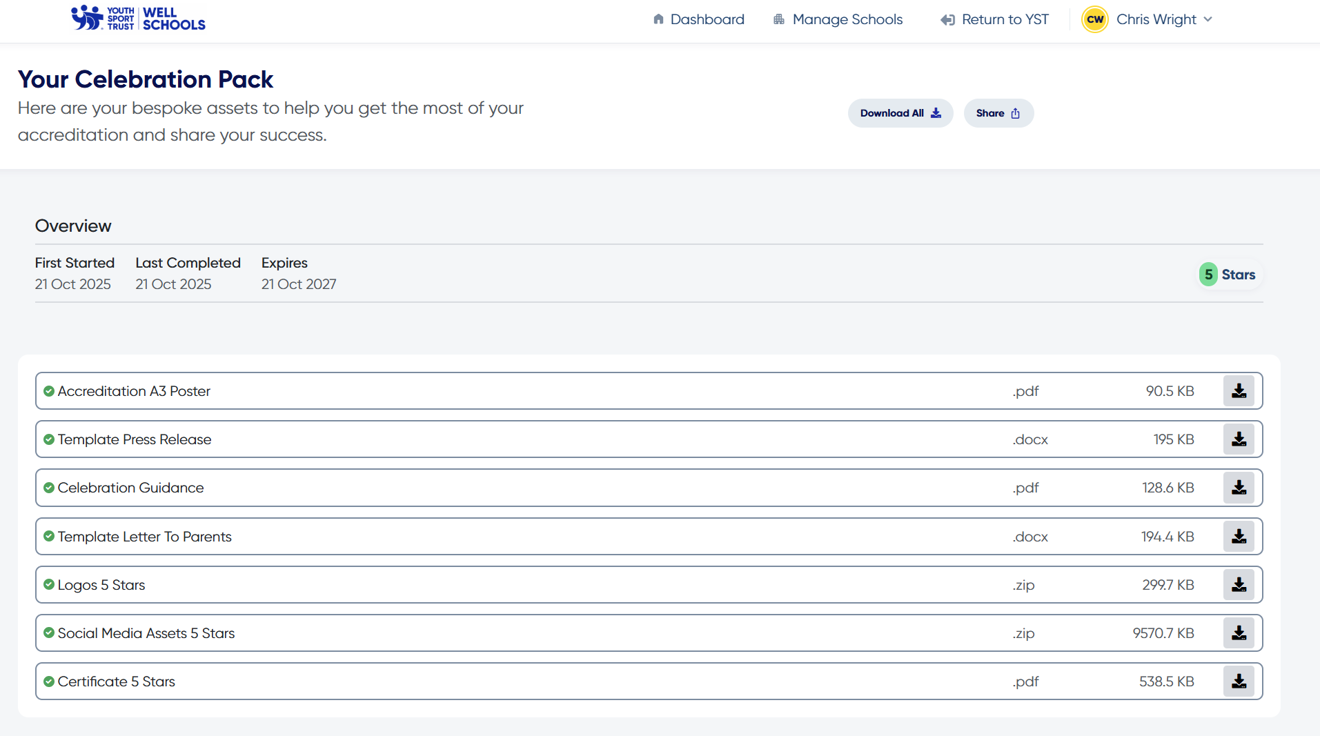
Top 10 tips for completing your accreditation:
1. Complete in sections as part of your ongoing self-evaluation with the senior leadership team.
2. Involve different parts of your school based on the theme, e.g., PE department, pastoral staff, SENCo
3. Include feedback from parents and governors.
4. Use input from staff and pupils to find development areas.
5. Reflect on wellbeing surveys to understand the needs of staff and pupils.
6. Choose actions relevant to your context, community, and pupils' needs.
7. Complete the questions over time instead of all at once.
8. Choose actions that fit your school's resources and capacity.
9. Use evidence for other quality marks or awards, e.g., School Games Mark, Healthy Schools.
10. Remember, this is an improvement journey not a destination.
Multi-Academy Trusts and Groups of Schools
You can access the Well Schools groups area of the Youth Sport Trust website by first ensuring you have a free Youth Sport Trust account. You can register or log in by using the prompts in the top right-hand corner of any page on our website.
If you are at an eligible organisation, you will be given immediate access to the ‘create a group’ screen, which can be accessed via the Well Schools information page.
You can reach this page by using the main navigation menu or by following the link on our homepage. Here, you can also find out more about Well Schools and access our bank of Well Schools resources.
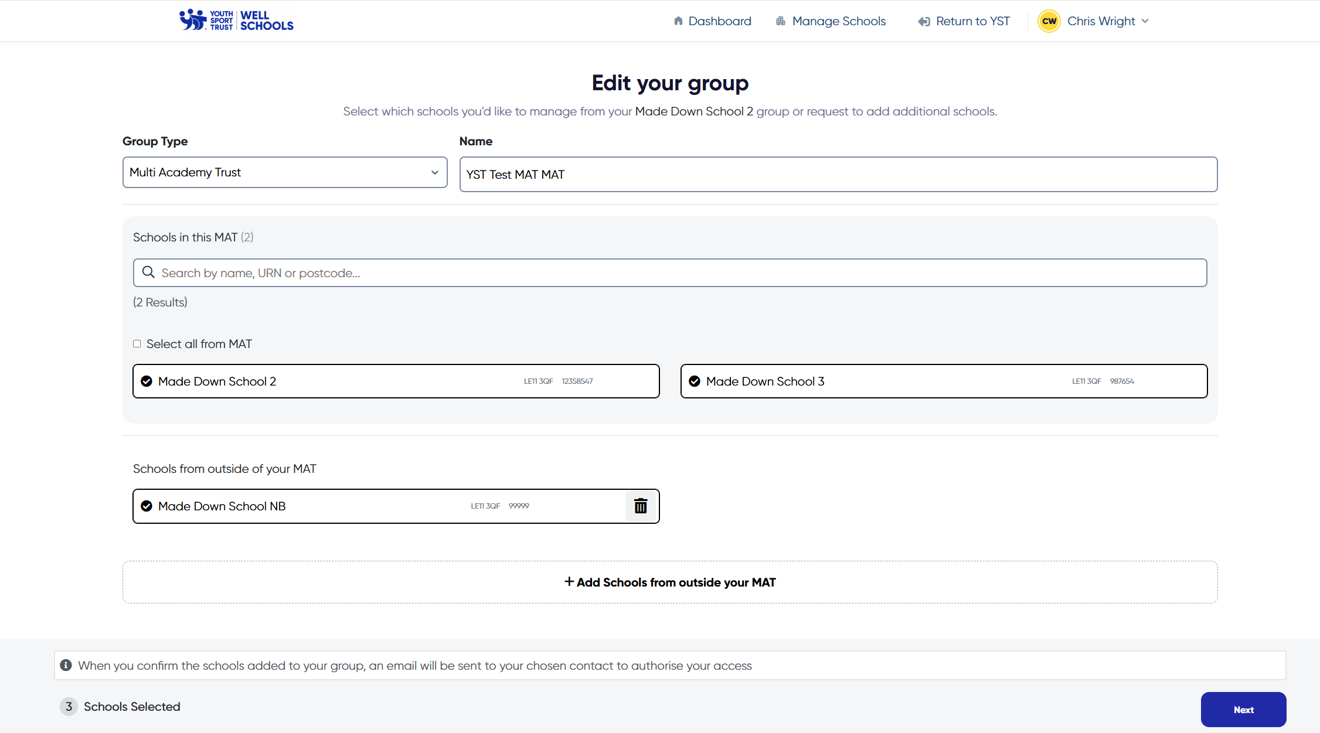
From this page, you will be able to select the schools which are a part of your group. If you are a part of a Multi-Academy Trust, some of these schools may be pre-populated, but you can amend your group to ensure it is accurate.
On the next screen you will be asked to provide an email address for a contact at each school – this will send an invitation to this person who can then accept or decline. If they accept, they will be added to your group.
The person being invited must log in to the Youth Sport Trust website using the same email address to see the invitation. If they do not already have an account, then they can register one for free using the same instructions as above.
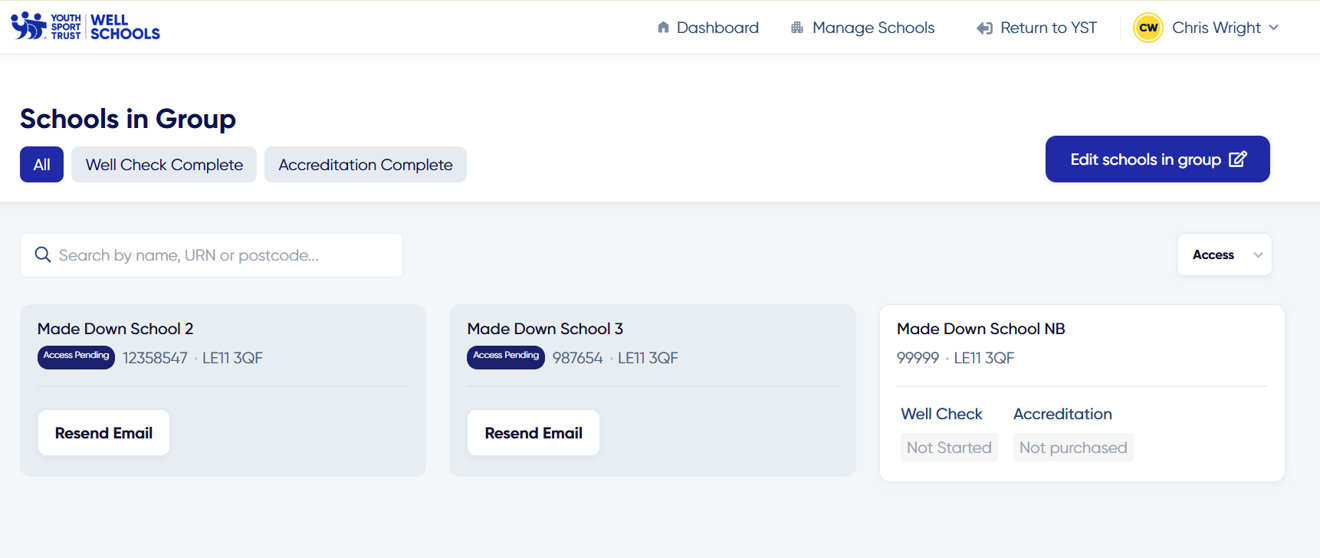
You can add or remove schools from your group at any time by clicking ‘manage schools’ in the main menu. If an invitation has not been received, you can resend the email by clicking the ‘resend email’ button for that school on your dashboard.
Once the group setup has been completed you will be taken to your group dashboard. From here you can monitor the progress of your schools as they undertake the Well Check and accreditation. You can also bulk purchase accreditations on behalf of some or all of the schools in your group. You can make additional purchases at any time. Once purchased, this will unlock access to the Accreditation for those schools.
If you are based at a Multi-Academy Trust, you can also access the Well School Trust Check a set of additional questions which give you the opportunity to become a Well School Trust – to achieve this you must answer all questions affirmatively and have a percentage of the schools in your group with a complete accreditation.
- MAT's with 0-14 schools = 100% of schools accredited
- MAT's with 15-30 schools = 75% of schools accredited
- MAT's with 31+ schools = 50% of schools accredited